
USATacCharts Aeronautical Maps1.0 - Google Play
You'll be able to see results in few seconds.
Publisher Description
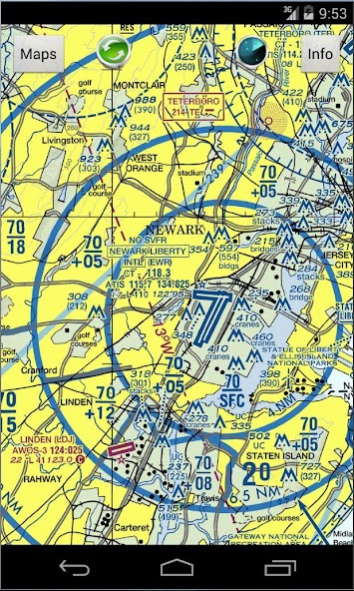
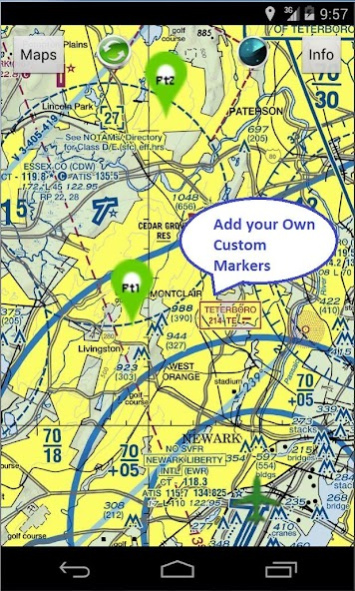
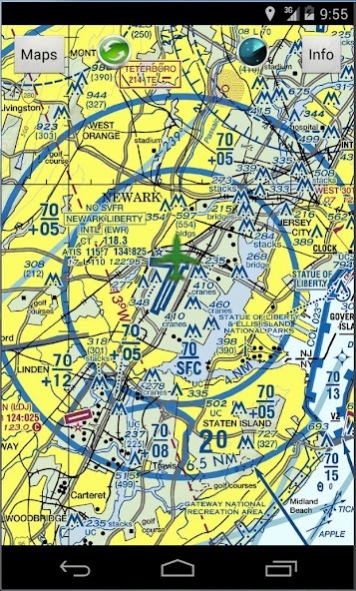
USATacCharts provides offline moving FAA's Terminal Aeronautical Chart (TAC) charts. It includes all 50 states including Hawaii and Alaska. USATacCharts comes with New York TAC map pre-installed. You can download more charts as you please free of charge. There over 14 charts that cover entire United States. You get unlimited charts database update with this app. All charts work as self contained in offline mode where you do not need any network connections (Wifi or 4G). Your current location is shown on a moving map with green airplane icon centered around it. Green update icon will toggle GPS ON and OFF. When GPS is ON, map is automatically centered around current location. To pan maps, turn GPS update OFF and browse map with a swipe. Swipe screen and hit zoom button to zoom in and out. The TAC maps provided is 1:250,000 scale with Class B Airspace shown. TAC charts provide more detail than what found on the Sectional Charts because of the larger scale and great tool for route planners.
*Real-time GPS tracks and navigation
*Terrain maps for the entire USA
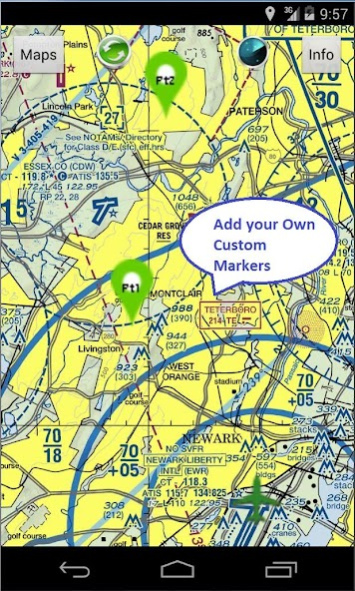
*Add custom markers and way-points for route planning
*Location icon can be centered or track from your placement on screen.
*Made by and for pilots
*Easy to use and learn
*Quick and responsive
*All 14 Terminal Aeronautical Charts (TACs) maps provided free with no in-app purchases
*Runs on most Android devices
*No ads or invasive permission
http://airplanegroundschools.com/android/usataccharts-aviation-maps.php
About USATacCharts Aeronautical Maps
The company that develops USATacCharts Aeronautical Maps is SMSfree4all.com. The latest version released by its developer is 1.0.
To install USATacCharts Aeronautical Maps on your Android device, just click the green Continue To App button above to start the installation process. The app is listed on our website since 2015-10-23 and was downloaded 0 times. We have already checked if the download link is safe, however for your own protection we recommend that you scan the downloaded app with your antivirus. Your antivirus may detect the USATacCharts Aeronautical Maps as malware as malware if the download link to com.airplanegroundschools.usataccharts is broken.
How to install USATacCharts Aeronautical Maps on your Android device:
- Click on the Continue To App button on our website. This will redirect you to Google Play.
- Once the USATacCharts Aeronautical Maps is shown in the Google Play listing of your Android device, you can start its download and installation. Tap on the Install button located below the search bar and to the right of the app icon.
- A pop-up window with the permissions required by USATacCharts Aeronautical Maps will be shown. Click on Accept to continue the process.
- USATacCharts Aeronautical Maps will be downloaded onto your device, displaying a progress. Once the download completes, the installation will start and you'll get a notification after the installation is finished.
Program Details
System requirements
Download information
Pricing
Version History
version 1.0
posted on 2015-10-23
Disclaimer
Official Google Play Link
We do not host USATacCharts Aeronautical Maps on our servers. We did not scan it for viruses, adware, spyware or other type of malware. This app is hosted by Google and passed their terms and conditions to be listed there. We recommend caution when installing it.
The Google Play link for USATacCharts Aeronautical Maps is provided to you by apps112.com without any warranties, representations or guarantees of any kind, so access it at your own risk.
If you have questions regarding this particular app contact the publisher directly. For questions about the functionalities of apps112.com contact us.
